AI Integrations
The AI Integration feature allows you to create test cases with the help of supported AI models.
Once configured, AI-assisted test case creation becomes available within the application.
Accessing AI Integration
To access the AI Integration settings:
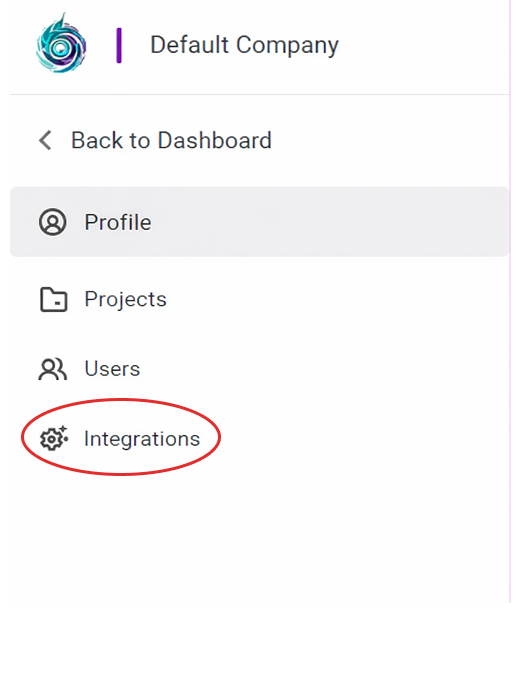
- From the left sidebar, click Integrations.
- Navigate to the AI Integration section.
Configuring AI Models
To configure an AI model:
In the AI Integration section, click Manage AI Model under Provider Configuration.

The Configure AI Model window opens.
Select the appropriate AI Provider and Model from the available options.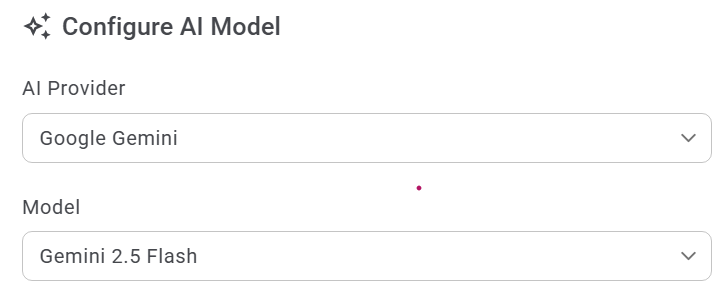
Enter the API Key if required.
Leave this field blank to continue using the existing configured key.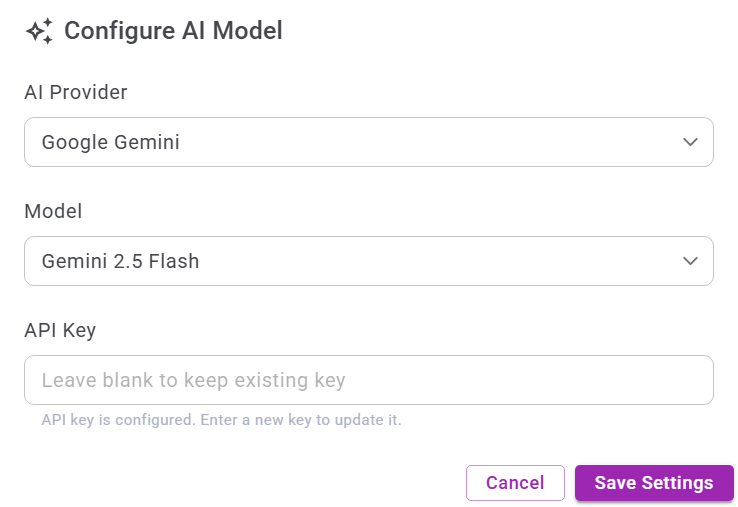
Click Save Settings to apply the configuration.
After Configuration
Once the AI model is configured successfully:
- AI-assisted test case creation becomes available.
- The selected AI provider and model are used for generating test cases.
- The configuration applies at the configured scope (project or organization level, if applicable).