Create Organisation
Overview
An Organization is a shared workspace used to manage projects, users, and integrations under a single account.
By creating an organization, teams can configure common settings, connect external tools like GitHub and Jira, and control access for different users.
This helps ensure consistent configuration and better collaboration across all projects within the organization.
Creating Organization
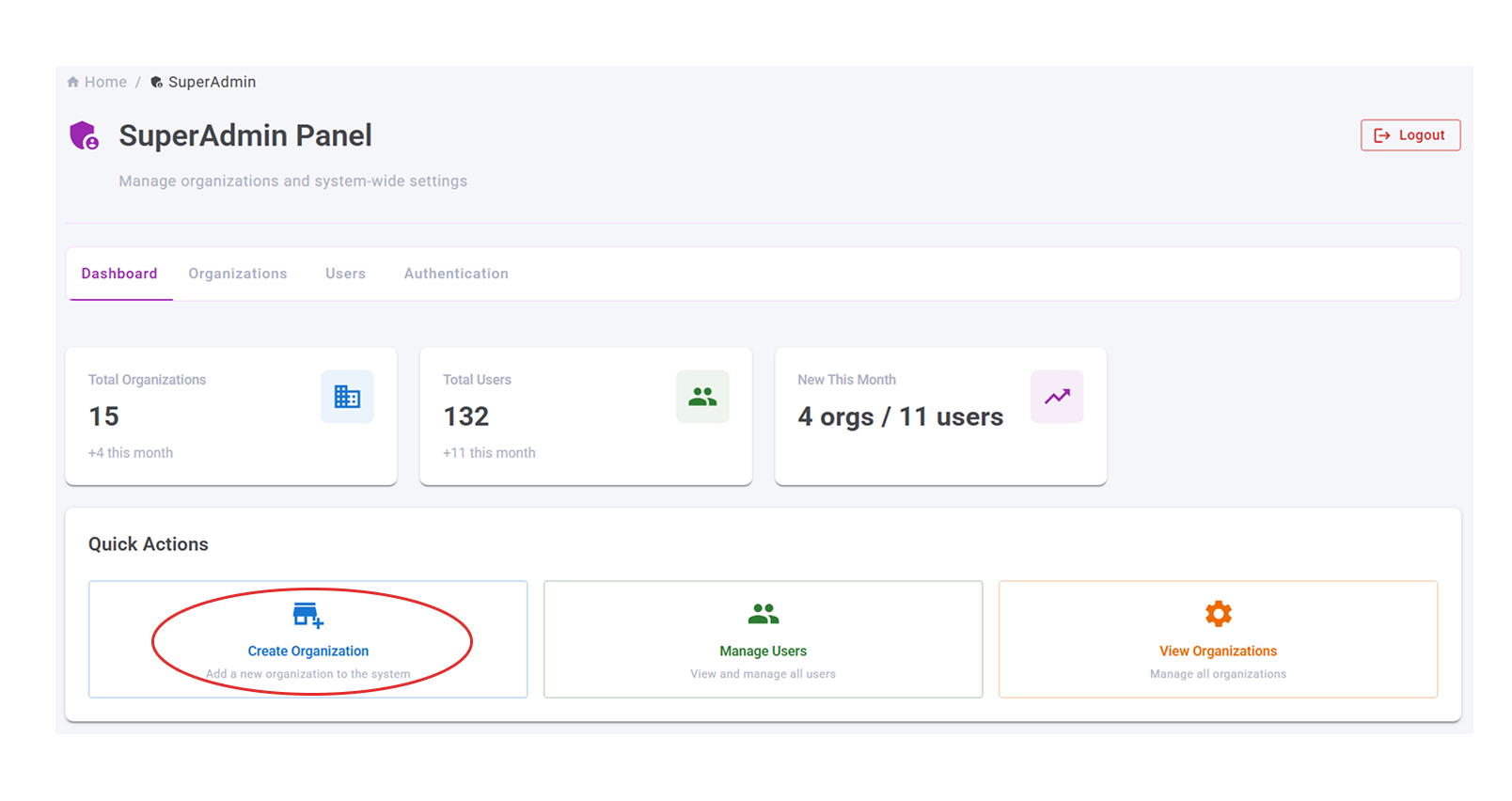
- Click on Create Organization button on Super admin dashboard
- Enter the organisation details and Admin user details(the person who create the organisation)
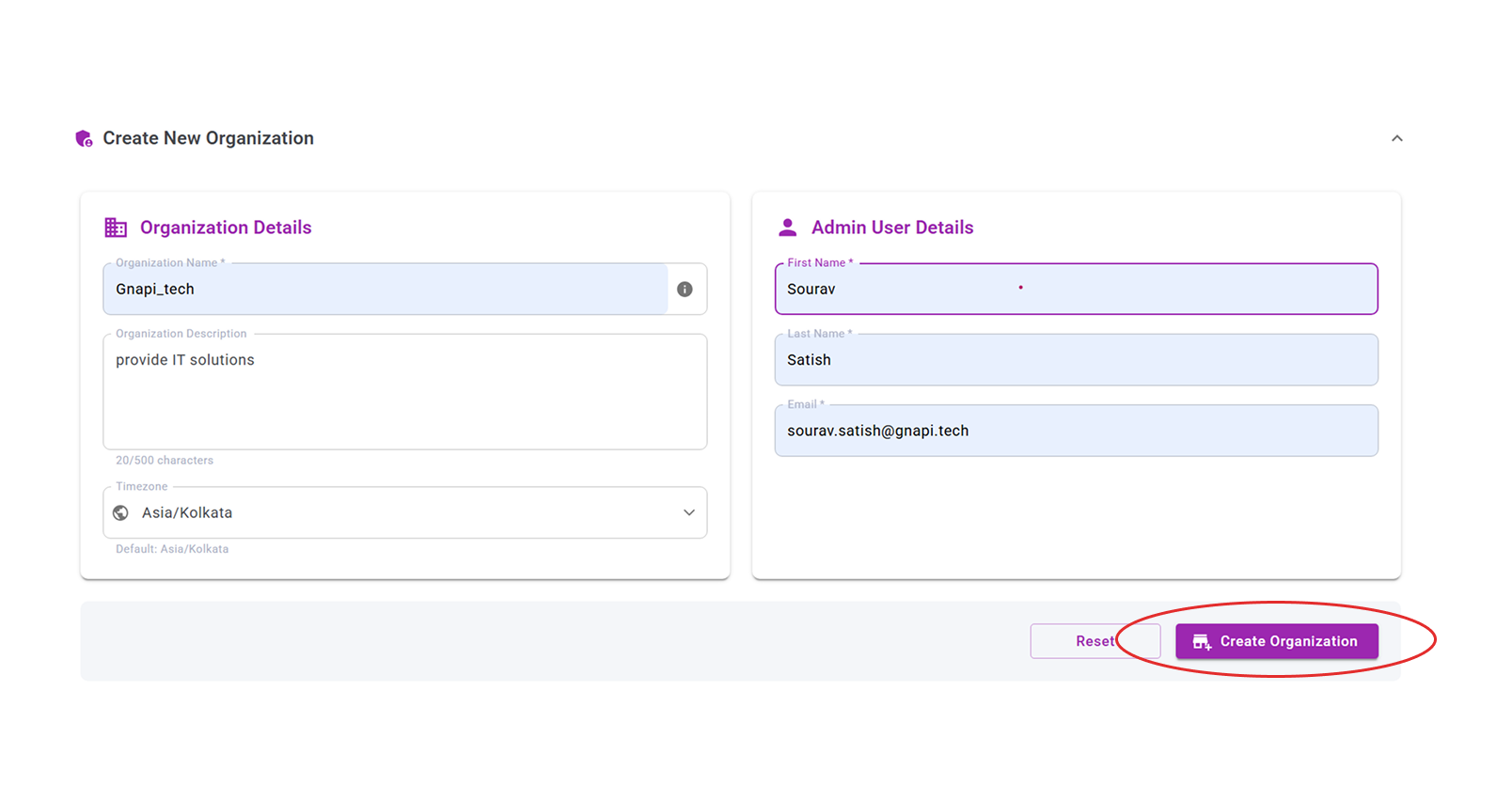
Click on Create Organization
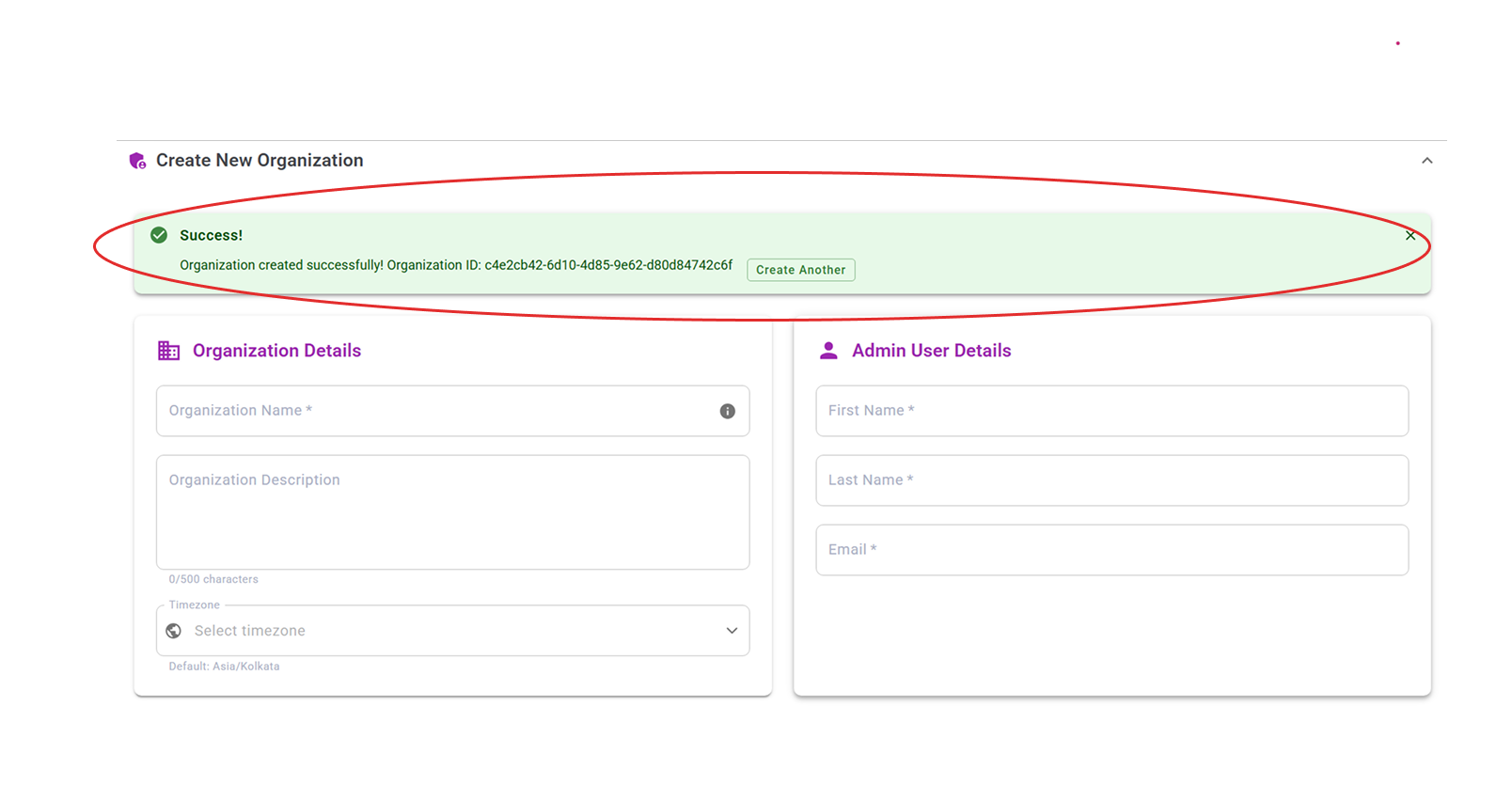
On Successful organisation creation, you can see success message as below